
You can remove a user's admin privileges and return their account to normal user status. The user can continue to use their other Google Workspace services, but won't have access to the Admin console.
Remove admin privileges (keeps user's account)
You must be signed in as a super administrator for this task.-
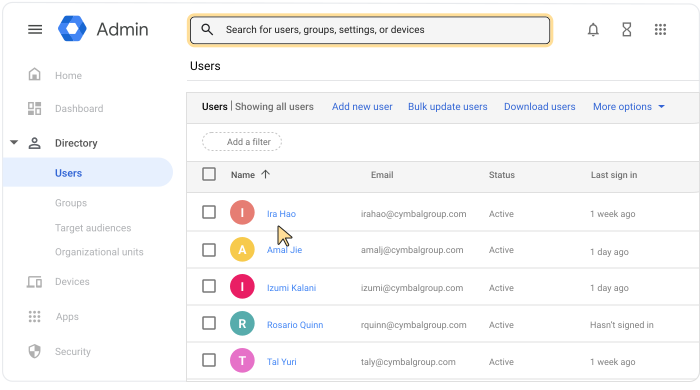
In the Google Admin console, go to Menu


 Directory
Users.
Directory
Users.Requires having the appropriate User management privilege. Without the correct privilege, you won't see all the controls needed to complete these steps.
To open the admin's account page, click the admin's name, or at the very top, type their name or email address in the search bar. For more options, go to Find a user account.
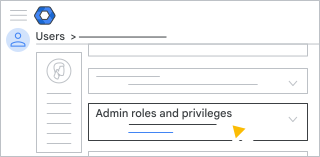
Scroll down and click Admin roles and privileges.
For the role you want to revoke, change the status to Unassigned
 .
.At the bottom of the section, click Save.
You get a pop-up message that the role has been updated. Admins receive a confirmation email.
If Multi-party approval for role management (Admin Console) is on, you get a message that another admin must approve your update. To send your request to another admin, enter a message (optional) and click Send request. Your request expires after 3 days. For details, go to Multi-party approval for sensitive actions.