Run a 5-step pilot
Stay organized with collections
Save and categorize content based on your preferences.
For: A small group testing Google Workspace within a larger organization
In a larger organization, a pilot team can try out Gmail and other
Google Workspace services before everyone switches over. Piloting won't
interrupt anyone's current mail service, and users keep using their current
email address.
1
Set up pilot users' Gmail
Let pilot users try Gmail without changing your domain's MX records or interrupting anyone's mail service. Do this by setting up dual delivery for those users, so your legacy mail server forwards their mail to Gmail.
Set up dual delivery
After you follow these steps, pilot users can use Gmail to send and receive mail, while everyone else keeps using their legacy inbox.
During sign-up, skip the step to activate Gmail for your domain. Instead, leave your domain's MX records so they continue to direct mail to your legacy mail server.
Add Google Workspace accounts for your pilot users.
Skip this step if you added the users during signup.
Enter your Google Workspace email address (such as you@example.com) and password.
(Replace example.com with your organization's domain name.)
At the top right, click App Launcher Gmail .
Sync with Microsoft Outlook (optional)
If anyone would rather access their emails, contacts, and calendars using Microsoft Outlook instead of their browser's web interface, they can use our Outlook plug-in.
Test our migration tools to import your pilot users' old emails, calendar events, and contacts into Google Workspace. You can migrate data directly from your legacy server or let users migrate their own data.
During your trial, you can sync your organization's Google Workspace mail, contacts, and calendar data to your users' Android, iOS, BlackBerry, or Windows mobile devices.
Google, Google Workspace, and related marks and logos are trademarks of Google LLC. All other company and product names are trademarks of the companies with which they are associated.
[[["Easy to understand","easyToUnderstand","thumb-up"],["Solved my problem","solvedMyProblem","thumb-up"],["Other","otherUp","thumb-up"]],[["Missing the information I need","missingTheInformationINeed","thumb-down"],["Too complicated / too many steps","tooComplicatedTooManySteps","thumb-down"],["Out of date","outOfDate","thumb-down"],["Samples / code issue","samplesCodeIssue","thumb-down"],["Other","otherDown","thumb-down"]],["Last updated 2026-10-22 UTC."],[],[]]

 Let pilot users try Gmail without changing your domain's MX records or interrupting anyone's mail service. Do this by setting up dual delivery for those users, so your legacy mail server forwards their mail to Gmail.
 Let pilot users know how to sign in to their Google Workspace account and start sending mail.
 Gmail
Gmail  .
.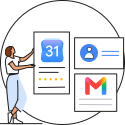 Test our migration tools to import your pilot users' old emails, calendar events, and contacts into Google Workspace. You can migrate data directly from your legacy server or let users migrate their own data.
 During your trial, you can sync your organization's Google Workspace mail, contacts, and calendar data to your users' Android, iOS, BlackBerry, or Windows mobile devices.
 Direct your team to training resources so they can organize their mail, hold meetings, collaborate in real-time on documents, and more.