

به عنوان مدیر دایرکتوری، میتوانید اطلاعات پروفایل کاربران و مهمانان در سازمان، آدرسهای ایمیل و گروهها و مخاطبین خارجی مشترک را در دایرکتوری ذخیره کنید. این اطلاعات به کاربران شما کمک میکند تا یکدیگر را پیدا کرده و با یکدیگر ارتباط برقرار کنند و نقشهای خود را در سازمان درک کنند. میتوانید اطلاعات کاربر و مهمان را اضافه کنید و میزان دیده شدن آنها را در مخاطبین گوگل و سایر سرویسهای گوگل کنترل کنید.
وقتی دایرکتوری روشن است:
- تکمیل خودکار آدرسهای فردی و گروهی با وارد کردن آنها توسط کاربران در سرویسهای گوگل مانند Gmail، Google Docs و Drive
- تقویم به طور هوشمندانه اتاقهای جلسه را بر اساس موقعیت مکانی و تعداد مهمانان پیشنهاد میدهد ( نیاز به تنظیم تقویم دارد )
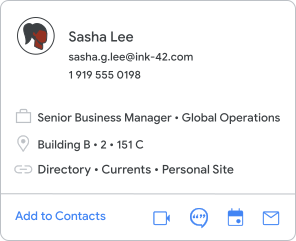
کاربران میتوانند اطلاعات پروفایل را در مخاطبین و سایر سرویسهای گوگل پیدا کنند. برای مثال، وقتی کاربران روی عکس پروفایل کسی اشاره میکنند یا روی آن ضربه میزنند، یک کارت اطلاعات شخص را باز میکنند.
میتوانید هنگام راهاندازی اولیهی دایرکتوری یا برای عیبیابی، آن را غیرفعال کنید .
تنظیم دایرکتوری
برای شروع، دایرکتوری ممکن است فقط شامل نامها و آدرسهای ایمیل باشد. اطلاعات را به پروفایل کاربر اضافه کنید .
برخی از گزینههای دیگر برای تنظیم:
- فیلدهای سفارشی را به دایرکتوری اضافه کنید. اطلاعات بیشتر
- به افراد اجازه دهید برخی یا هیچ یک از اطلاعات پروفایل خود را تغییر دهند. اطلاعات بیشتر
- تنظیم کنید که کدام آدرسهای ایمیل (نام مستعار، آدرس فرعی، دامنه) در فهرست نمایش داده شوند. اطلاعات بیشتر
- مخاطبین خارجی مشترک را به فهرست اضافه کنید. اطلاعات بیشتر
- اجازه دهید برنامههای شخص ثالث به دادههای دایرکتوری دسترسی داشته باشند. اطلاعات بیشتر
سفارشیسازی دایرکتوریها برای تیمها یا گروهها
به طور پیشفرض، افراد سازمان شما میتوانند اطلاعات پروفایل همه افراد دیگر را پیدا کنند. برای اینکه به برخی از کاربران سازمان شما اجازه داده شود فقط زیرمجموعهای از کاربران سازمان شما را پیدا کنند، یک دایرکتوری سفارشی به آنها اختصاص دهید.
- اشتراکگذاری با همه — اگر سازمان کوچکی دارید که در آن همه نیاز به ارتباط با یکدیگر دارند، میتوانید این گزینه را انتخاب کنید.
- اشتراکگذاری یک دایرکتوری سفارشی — شاید بخواهید به افراد یک واحد سازمانی اجازه دهید فقط افراد گروههای خاص را پیدا کنند، در حالی که سایر واحدهای سازمانی بتوانند همه را پیدا کنند. اگر سازمان بزرگی هستید که میخواهید دسترسی به برخی از مخاطبین را برای برخی افراد محدود کنید، میتوانید این گزینه را انتخاب کنید. به عنوان مثال، ممکن است به کارمندان تمام وقت اجازه دهید همه افراد را در دایرکتوری پیدا کنند اما به کارآموزان اجازه دهید فقط افراد تیم خود را پیدا کنند.
آموزش ایجاد دایرکتوریهای سفارشی
اطلاعات کاربران را بهروز نگه دارید
از کنسول مدیریت، رابط برنامهنویسی کاربردی دایرکتوری SDK مدیریت یا همگامسازی دایرکتوری ابری گوگل برای بهروزرسانی دایرکتوری هنگام تغییر اطلاعات پروفایل یا وضعیت یک شخص استفاده کنید.
مباحث مرتبط
- تغییر نام کاربر یا تغییر آدرس ایمیل کاربر
- افزودن اطلاعات به پروفایل کاربر
- مخفی کردن یک کاربر از دایرکتوری
افراد سازمان خود را برای استفاده از مخاطبین آموزش دهید
نحوه تنظیم دایرکتوری بر مخاطبینی که کاربران میتوانند در مخاطبین پیدا کنند تأثیر میگذارد. برای کمک به افراد سازمانتان در یادگیری نحوه استفاده از مخاطبین، این منابع آموزشی را به اشتراک بگذارید.
وقتی افراد از مخاطبین برای کار یا تحصیل استفاده میکنند، میتوانند به سایر کاربران اجازه دهند مخاطبین آنها را مدیریت کنند .