
Applies to editions of Google Workspace and other paid subscriptions in your Google Admin console.
If you sign up for Workspace on Android or iOS and don’t have billing options in the Admin console, you instead manage billing and subscriptions through Google Play (Android) or the Settings app (iOS).
If you no longer want to make payments using a credit card or bank account in your Google billing account, remove the payment method from your account.
Note: You can't remove your primary payment method. Your billing account must always have a primary payment method for making automatic payments. To remove a payment method that's currently used for automatic payments, you must first assign another primary payment method.
-
In the Google Admin console, go to Menu


 Billing
Payment accounts.
Billing
Payment accounts.Requires having the Billing management privilege.
- Next to your subscription, click View payment methods.
Next to the credit card or bank account, click Remove.
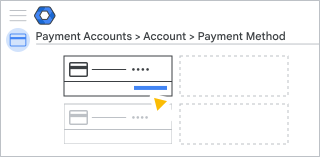
Note: If the Remove option isn't available, this means that the payment method is currently being used for automatic payments and can't be removed.