
The Partner Sales Console is designed for resellers of Google Cloud and Google Workspace services.
Getting started guides for Google Cloud
Features for reselling Google Cloud
- Place an order for Google Cloud to create a billing subaccount for a customer
- View and manage your Google Cloud customers by their name and domain
- Easily view and assign roles to billing subaccount
- Search and sort your customer list
- Grant your team access to customer account and billing information
- Close unused billing subaccounts
On a customer's page, you manage roles and billing subaccounts. Also, you have easy access to the customer's account in the Google Cloud console.
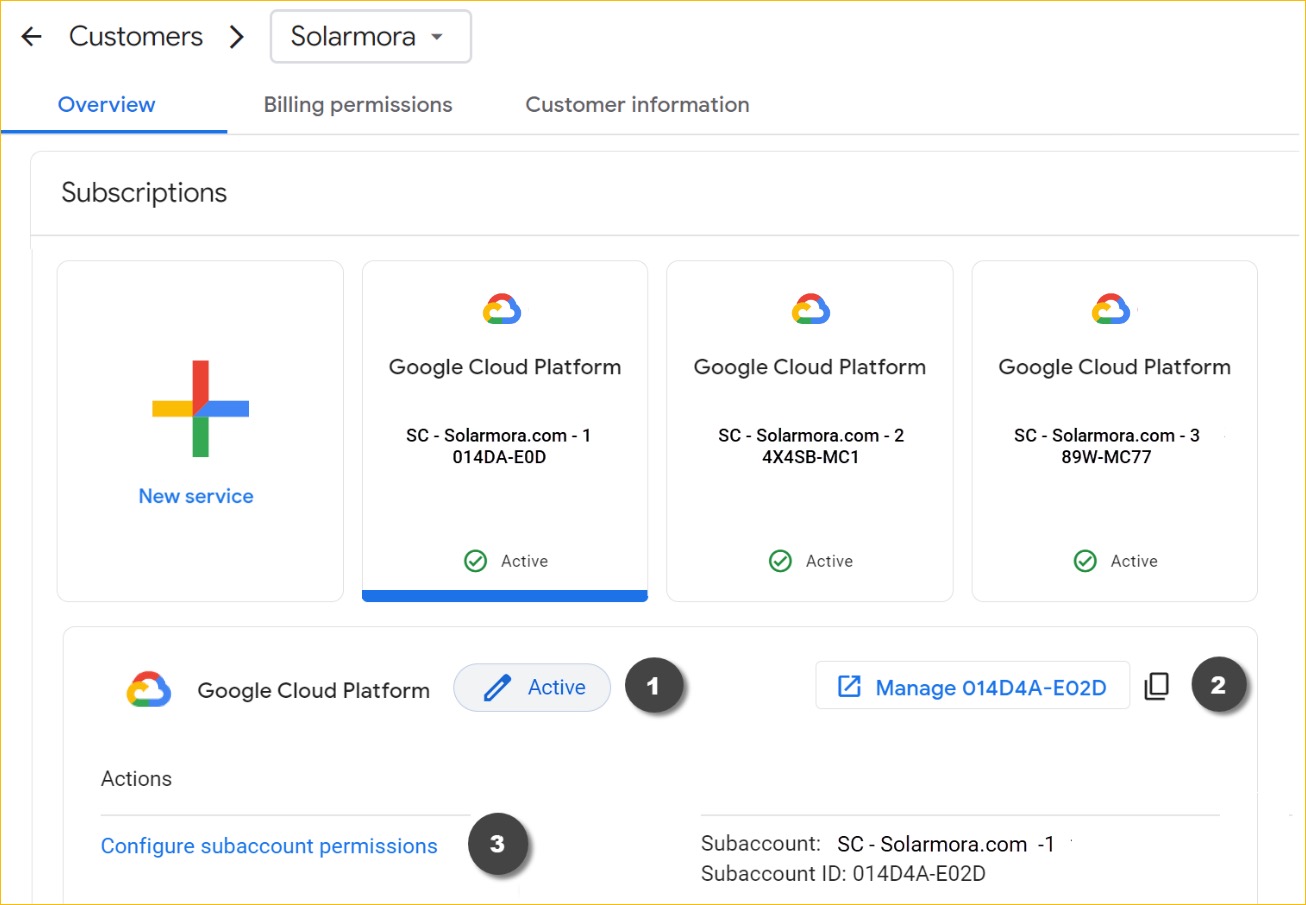
(1) Google Cloud console: Opens the billing subaccount overview in the console.
(2) Configure billing subaccounts: Manage the customer's roles for the billing subaccount. Learn how.
(3) Subscriptions: For orders placed in the Partner Sales Console, the subscription shows the billing subaccount name (if you're assigned a role to the subaccount) or billing subaccount ID.
Feedback & support
We value your suggestions and comments about this release.
Click 
 Send feedback in the upper right of the console to share your feedback.