### After placing an order
* Customers must accept the Terms of Service. The Subscription status then changes from **Suspended** to **Active**.
* New customers must verify their domain ownership.
* For customers with multiple products, review their automatic licensing settings. [Learn more](https://support.google.com/cloudidentity/answer/7384684#multiple-services).
### Order Vault
1. Sign in to the [Partner Sales Console](https://channelservices.cloud.google.com){:target="_blank"}.
2. On the Customers page, click the customer's name.
3. For Subscriptions, click New service.
4. If prompted to select an order type, click Buy Google order.
5. At **Google Vault**, click **Select**.
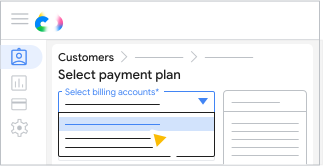
If you have multiple billing accounts set up in your Partner Sales Console , select the billing account.
<ul>
  <li>All customer orders must use the same currency, but you can use different billing accounts with the same currency.</li>
  <li>All Google Workspace subscriptions need to use the same billing account.</li>
For the payment plan that you want, click Select plan.
[[["Easy to understand","easyToUnderstand","thumb-up"],["Solved my problem","solvedMyProblem","thumb-up"],["Other","otherUp","thumb-up"]],[["Missing the information I need","missingTheInformationINeed","thumb-down"],["Too complicated / too many steps","tooComplicatedTooManySteps","thumb-down"],["Out of date","outOfDate","thumb-down"],["Samples / code issue","samplesCodeIssue","thumb-down"],["Other","otherDown","thumb-down"]],["Last updated 2026-10-26 UTC."],[],[]]

 click Save.