
People in your organization can use the Google Chat standalone app for a faster and more secure experience. You can deploy the app to your organization, or you can allow users to install the app themselves.
About the standalone app
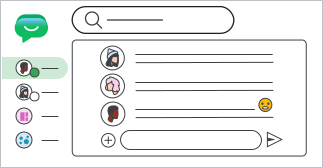
- Built using Progressive Web App (PWA) technology.
- Updates automatically — users only need to keep up with Chrome Browser updates.
- Supported on Windows, macOS, Chrome OS, and Linux (with Chrome Browser version 73 or higher).
Note: If Google Chat is turned
on for an
organizational unit where Gmail is turned off, users who go to
mail.google.com/chat get a You do not have access to Gmail error. Users can
still access Chat and install the standalone app at
https://chat.google.com/, or you
can deploy the app from https://chat.google.com/download. If you use
Context-Aware
Access, access
levels assigned only to Gmail don't apply to chat.google.com, so assign
your access levels to Chat as well.
Option 1: Deploy the app to users
You deploy the app to your users through the Chrome policy management settings.
-
In the Google Admin console, go to Menu


 Devices
Chrome
Apps & extensions
Users & browsers.
If you signed up for Chrome Browser Cloud Management, go to Menu
 Chrome browser
Apps & extensions
Users & browsers.
- Point to Add
 and click Add by URL
 .
- For URL, enter https://chat.google.com/download Important: Enter the URL exactly as it appears above.
- From the Open website in list, select Separate window.
- Click Save.
Option 2: Let users install the app
To let users install the app themselves:
- Make sure users can install Chrome Browser extensions and apps. For details, go to Allow or block apps and extensions.
- Direct users to the steps to Install the Chat standalone app.
Known limitations
We're working to address these limitations with the Chat standalone app:
- You need Chrome Browser 73 or higher installed on your computer. Chrome Browser doesn't have to be your default browser to use the standalone app.
- To use the standalone app, the Chrome Browser needs to be open.
- The standalone app is not yet packageable by enterprise re-packagers such as SCCM.