Let users export SAP data to Sheets
Stay organized with collections
Save and categorize content based on your preferences.
SAP administrators can set up their systems to let users export SAP data to Google Sheets via Google Drive. A one-time setup requires SAP administrators to:
Define Drive as a web service in SAP
Configure BADI (Business Add-In) implementations
Enable the SAP OAuth client to manage authentication with Drive
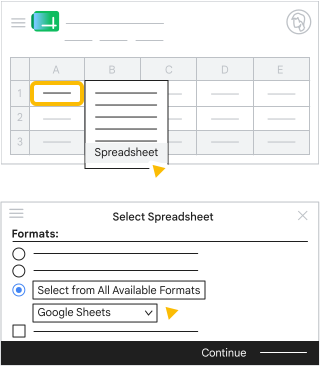
After SAP is set up to authenticate with Drive, users can choose the Google Sheets format when exporting SAP data to a spreadsheet. The first time users export to Sheets, they provide their Google account information and give SAP access to their Google Drive.
SAP data is exported to Drive in Office Open XML file format that can be opened in Sheets.
Google, Google Workspace, and related marks and logos are trademarks of Google LLC. All other company and product names are trademarks of the companies with which they are associated.
[[["Easy to understand","easyToUnderstand","thumb-up"],["Solved my problem","solvedMyProblem","thumb-up"],["Other","otherUp","thumb-up"]],[["Missing the information I need","missingTheInformationINeed","thumb-down"],["Too complicated / too many steps","tooComplicatedTooManySteps","thumb-down"],["Out of date","outOfDate","thumb-down"],["Samples / code issue","samplesCodeIssue","thumb-down"],["Other","otherDown","thumb-down"]],["Last updated 2026-09-18 UTC."],[],[]]