
The UI images in this article are illustrative examples. Actual UIs might vary.
In Q2 2026, Google Groups will launch stricter internal and external classifications on group memberships. Groups with the Allow members outside your organization setting turned off will be limited only to members of your organization. This change will prevent the addition of external members by administrators, a nested external group, or adding members to a group designated as external and then changing that group designation to internal, which are all currently possible.
Glossary: Classification of groups & membership types
- Parent groups: These are primary, top-level groups that can contain both individual members and other groups as child groups.
- Child groups: Also known as nested groups or subgroups, these are groups added as members under a parent group.
- Direct members: Individuals or entities added specifically to a group.
- Indirect members: Individuals or entities who gain membership to a parent group by virtue of being a member of a nested child group.
- Internal members: Individuals belonging to your organization.
- External members: Individuals outside of your organization who are invited to participate in a group.
- Internal groups: Groups with the current setting Allow members outside your organization turned off.
- External groups: Groups with the current setting Allow members outside your organization turned on.
Current behavior
Currently, even if a group is classified as internal, you can add external members to it in any of the following ways:
- Admin overrides: Group admins can add external members to a group that has Allow external members set to No.
- Nested groups: Any group nested under an internal parent group can have external members. These external members become members of the parent group.
- Previously existing external members: If you change the Allow external members setting to No, previously existing external members are not removed.
Future behavior
Starting in Q2 2026, internal groups will only allow internal users to be members. The ability to add external members to internal groups will no longer be supported. With this new approach, if the Allow external members setting is changed to No, external members will be permanently removed from the group and indirect members (members of child groups) will remain in their respective child groups but be filtered out from the parent group.
Updating existing groups
To reduce disruption of existing groups with this change, internal groups in Google Groups in your organization will be automatically updated in the following ways:
- Internal groups with external members:
- If an internal group has any external members, whether added directly or indirectly through a nested group, it will be classified as external to preserve those existing external memberships.
- Groups that have their Allow members outside your organization setting updated to Yes will allow only group admins to add external members per a new sub-setting.
- Groups with internal-only settings and no external members: If a group is currently set up for internal-only membership and contains no external members, it will continue to be classified as internal. This classification will enforce the stricter new rules, preventing future direct or indirect external member additions.
Initial classification mapping
| Initial group state | New group state | |
| Current setting: Allow members outside your organization | External members* present? | New setting: Allow external members in the group |
| On | Yes | No change |
| On | No | No change |
| Off | Yes |
On However, only group admins can add external members. This setting is controlled by the new Allow users to add external members sub-setting (described later on this page at Admin console updates). |
| Off | No | No change |
Considerations
- No immediate membership changes: The update will not remove any existing members. The classification is a new attribute that will inform future membership actions and filtering. For example, if an internal group has external members in it, existing external memberships will continue to function and the group will be reclassified as external.
- Impact on nested groups: The update will ensure that a group with any direct or indirect external members will be marked as external, even if it is currently internal.
Filtering indirect members
For groups classified as internal, external members in nested (child) groups will be automatically filtered out (excluded) from the parent internal group. External members will retain their membership in the child group.
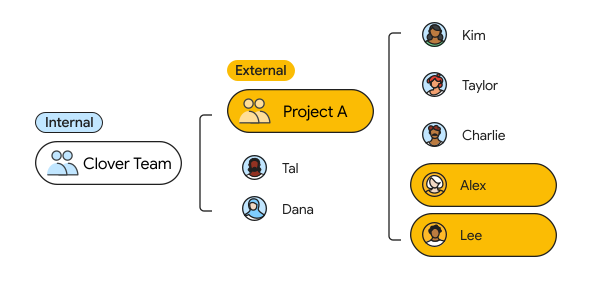
In this example, Clover Team is an internal group in Google Groups. Clover Team has Project A, which is an external group in Google Groups, as a member. Clover Team also has Tal and Dana as direct members. Project A has Kim, Taylor, Charlie, Alex and Lee as direct members. Alex and Lee are external members in Project A.
- Emails sent to the Clover Team will not be sent to Alex and Lee (external nested members), as they will be filtered out. Alex and Lee will still be part of Project A and receive emails sent directly to Project A.
- If the Clover Team is added to a Google Chat space, Alex and Lee will be filtered out of the space.
- If a Google Drive file is shared with the Clover Team, Alex and Lee will not get access to the file.
Exceptions
In the long term, Google will support indirect external member filtering across all Workspace applications with 2 exceptions:
- Google Calendar: Calendar invites will continue to be sent to Alex and Lee if the Clover Team is added to a Calendar invite.
- Groups Directory or CIG APIs: Navigating the groups' memberships using an API will also include indirect external members until the Workspace application is updated.
Note: In rare cases where there are 3 layers of nesting, indirect member filtering will work transitively. For example, if the Clover Team is added to an external group called the We Team, Alex and Lee will not be members of the We Team.
Administrator review & action
- Review: You can view the new classification of each group in the Google Admin console.
- Adjust classification: If a group has been classified as external but should only contain internal members, you can manually change the group classification to internal using the Admin console or the updated Groups Settings API.
- Impact of changing to internal: If you switch an external group to internal, all direct external members will be permanently removed from the group. Any external members who were indirectly added through nested groups will be filtered out from the parent group while remaining in their child groups.
- Revert classification: If a group's classification changes from external to internal and later reverts back to external, external indirect members will regain access. However, you will need to manually re-add any previously removed direct external members.
Google Groups updates
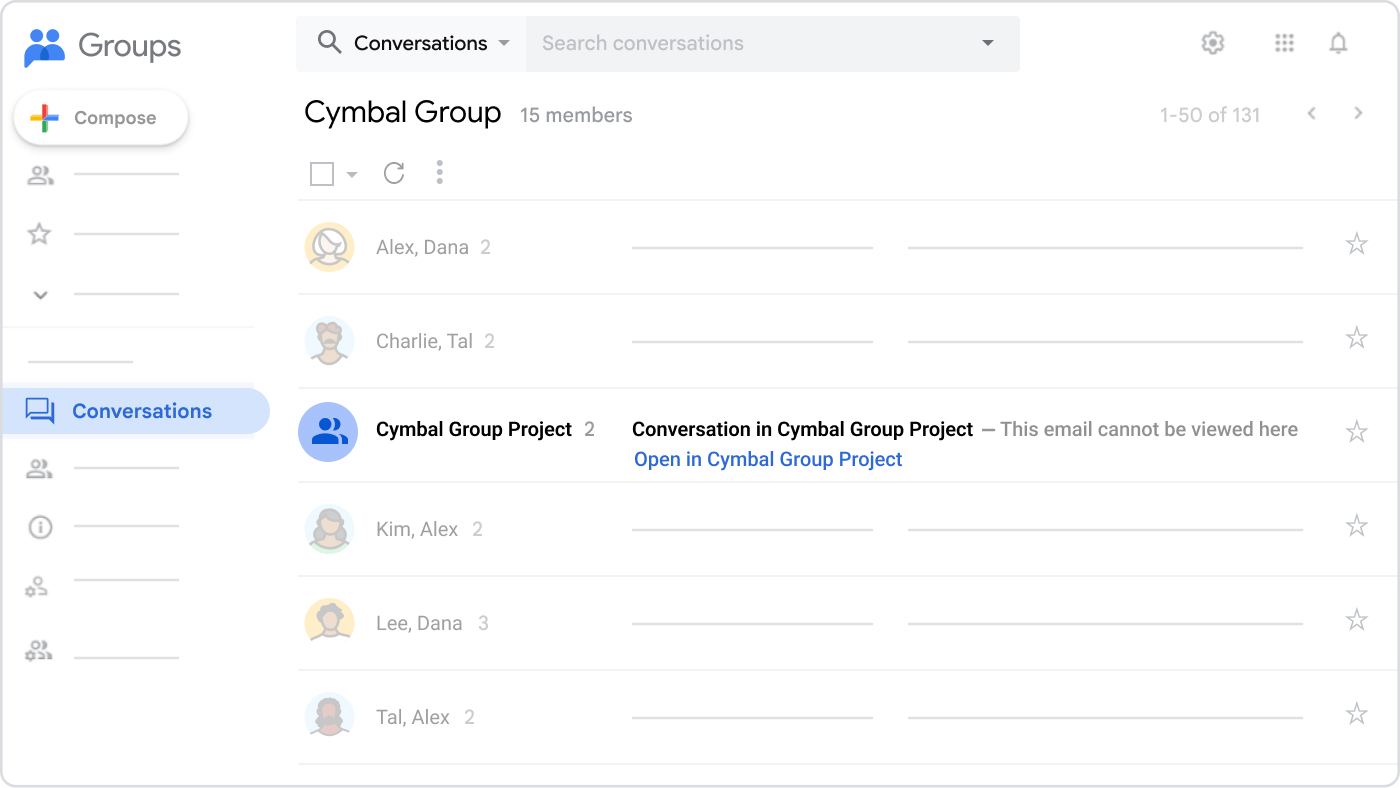
- Changes to how Google Groups emails appear: Currently, if an email is sent to a group, users with access to that group can view the email from Google Groups. To prevent emails from being visible to filtered-out users, all users will get a placeholder for any email coming from another group. Those placeholders will link to the parent group, where users can view the email if they have access. Placeholders will only be seen in Google Groups and in email digests.
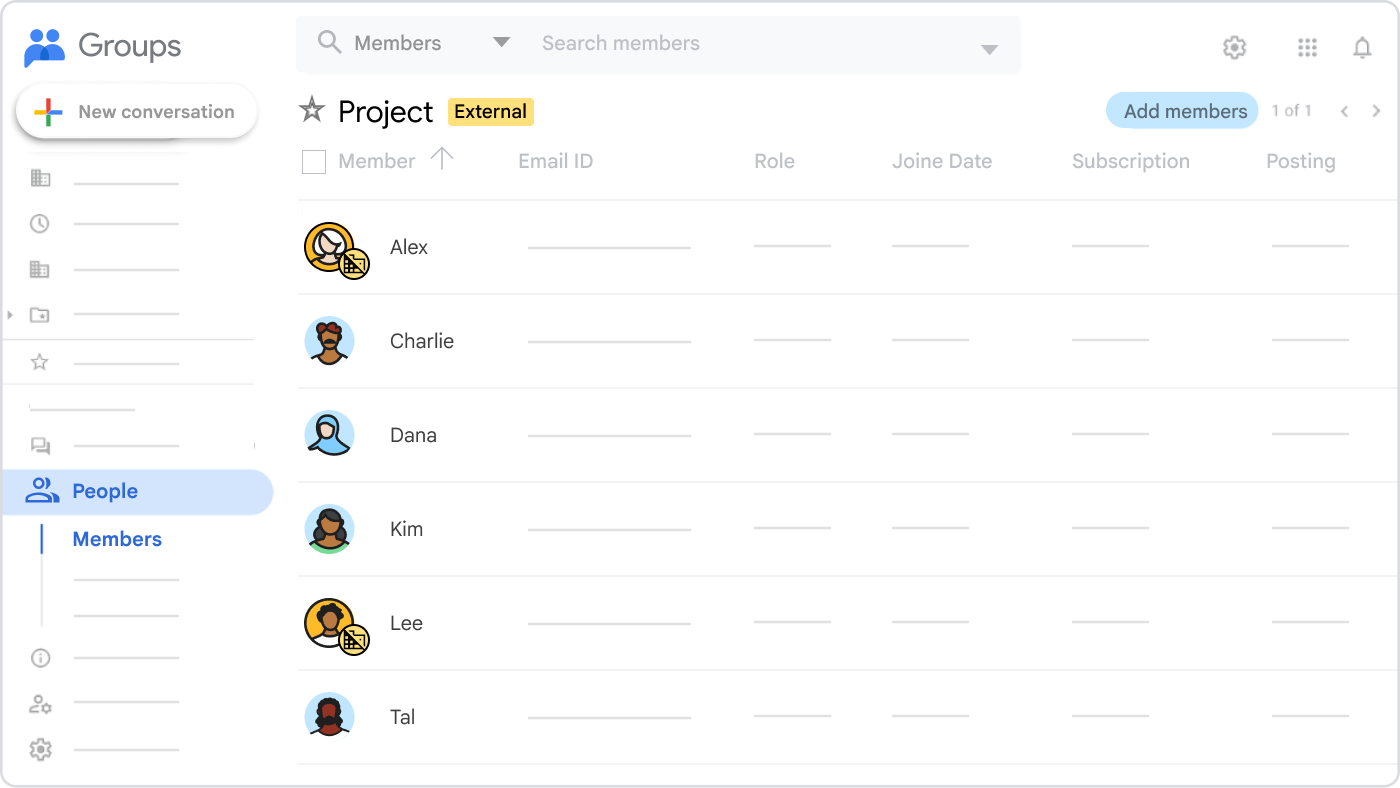
- Groups will now show an external tag if the group is externally owned or if it allows external members.
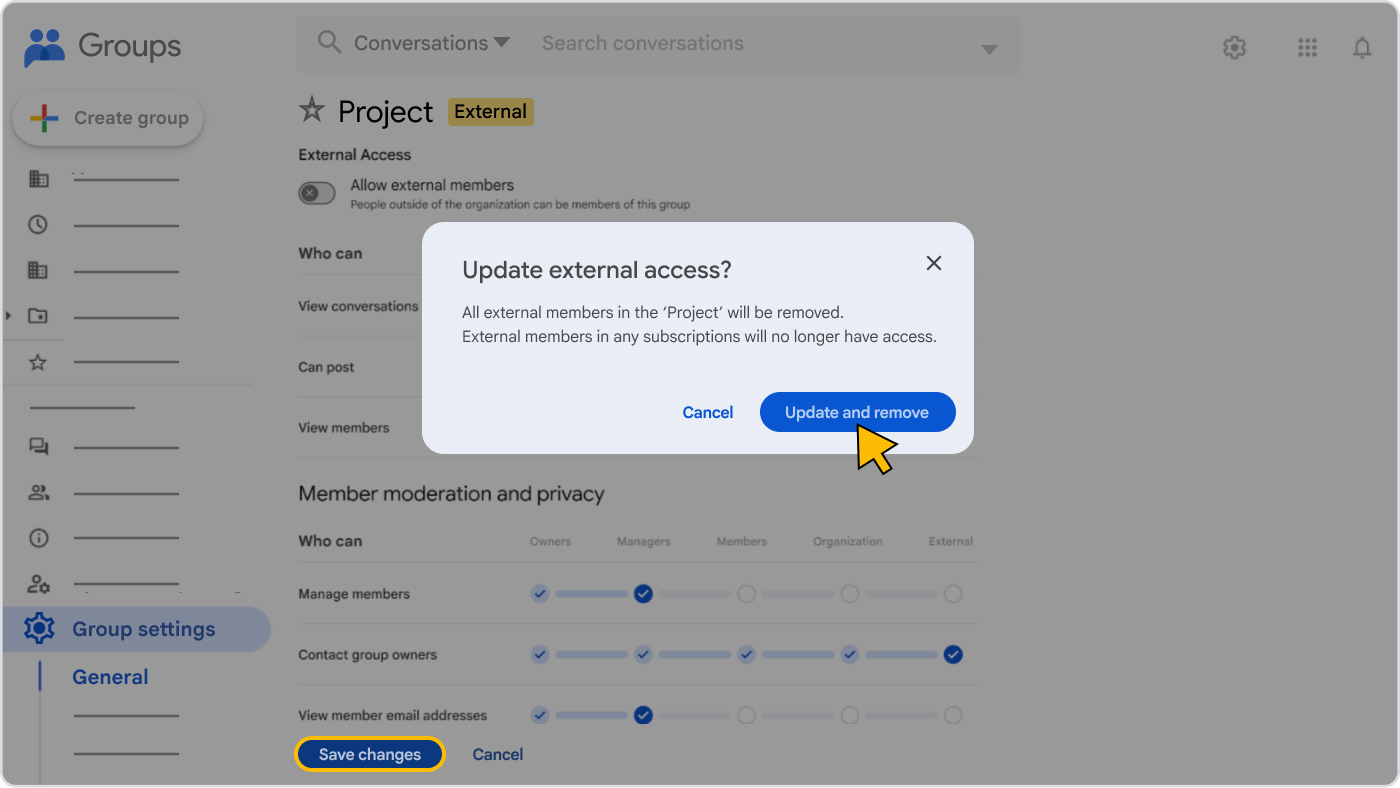
- If a user changes a group from external to internal, external members will be permanently removed.
Gmail updates
Messages will continue to be sent to group members through a mailing list. Those messages will be distributed to child groups just like they currently are, except for the following changes:
- External indirect members will not receive messages if the parent group is internal. Those messages will be filtered out.
- Placeholders that are sent to child groups can only be seen in Google Groups and in email digests.
Admin console updates
Similar to Google Groups, in the Admin console, you will see indications of group classification and you can select a classification for new groups.
You will see the following changes to groups in the Admin console:
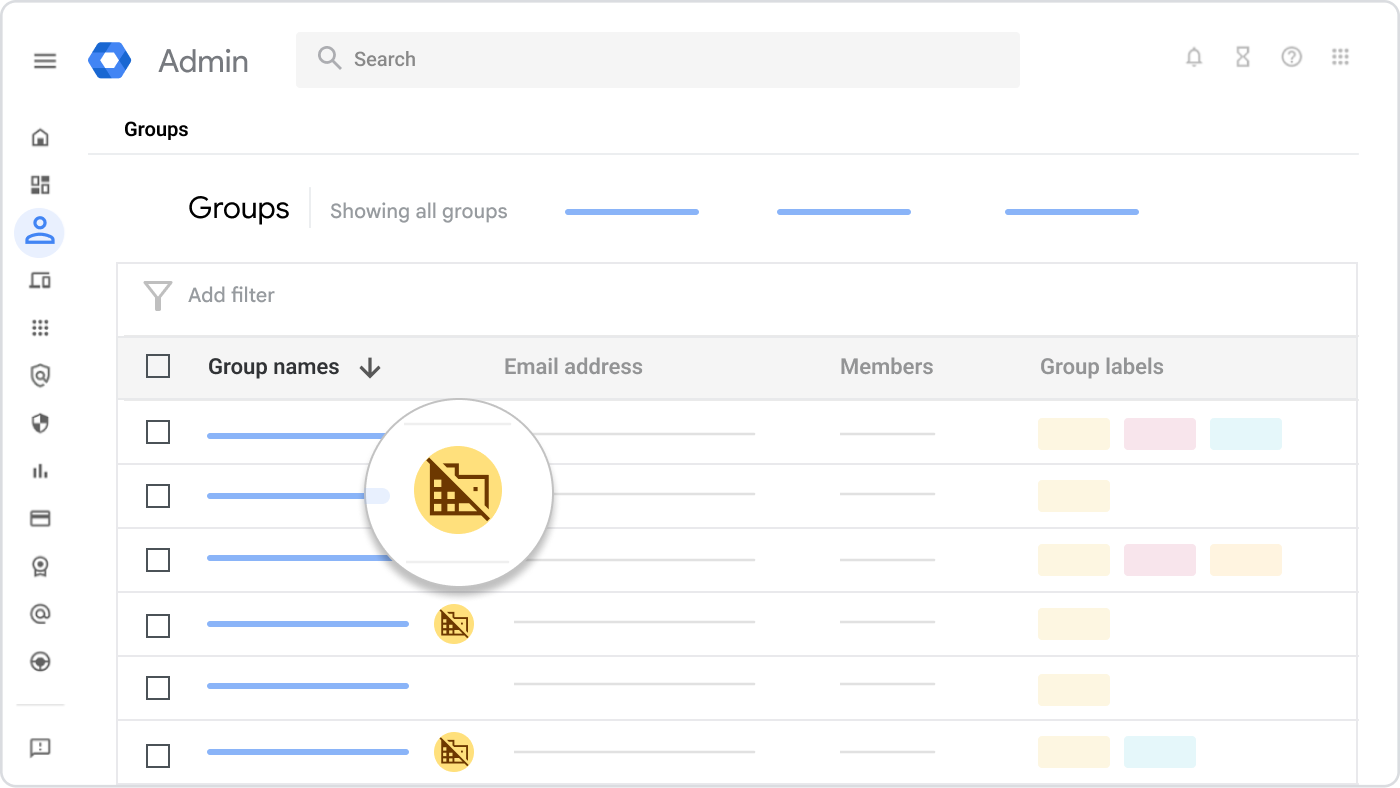
- An external icon
 appears beside groups that allow external members.
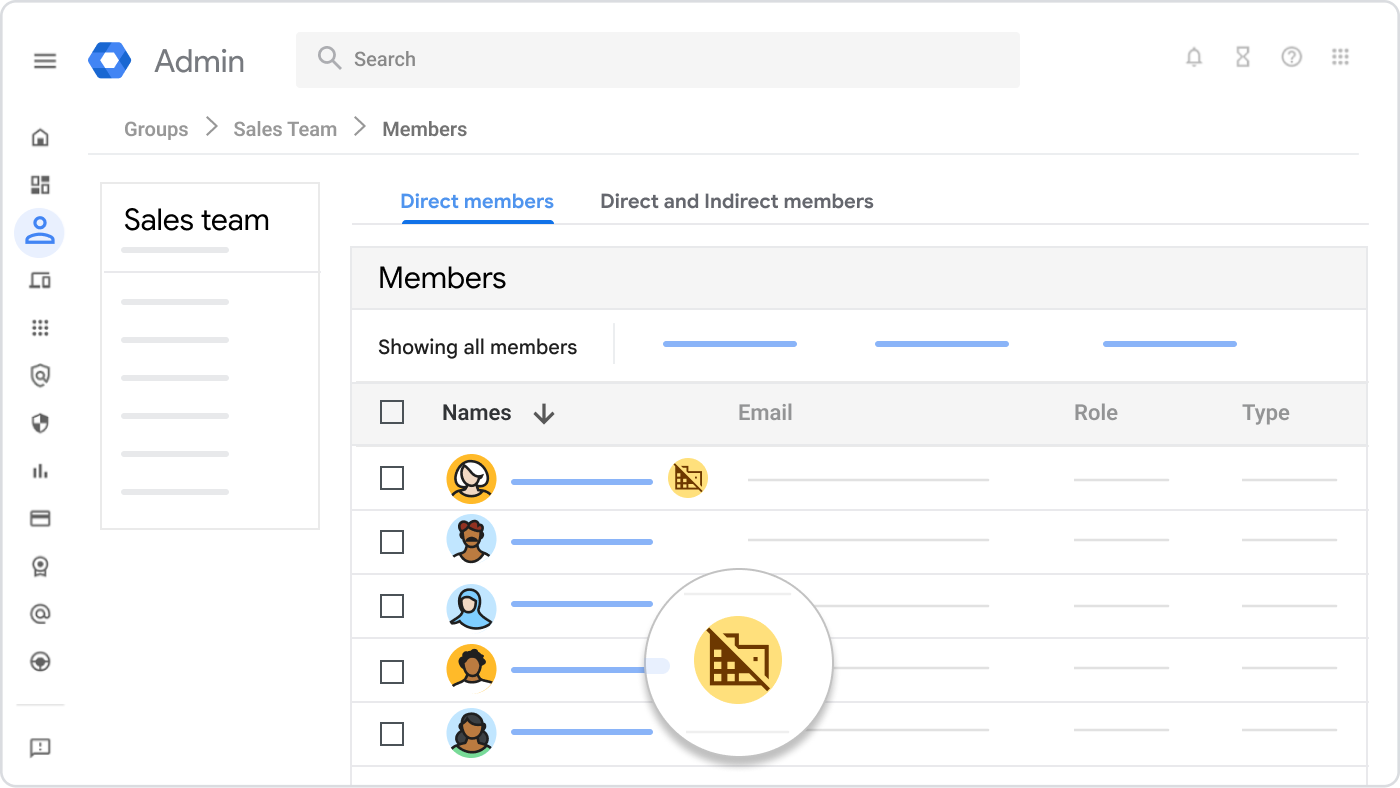
- An external icon appears for members and indirect members who are external to the customer's organization.
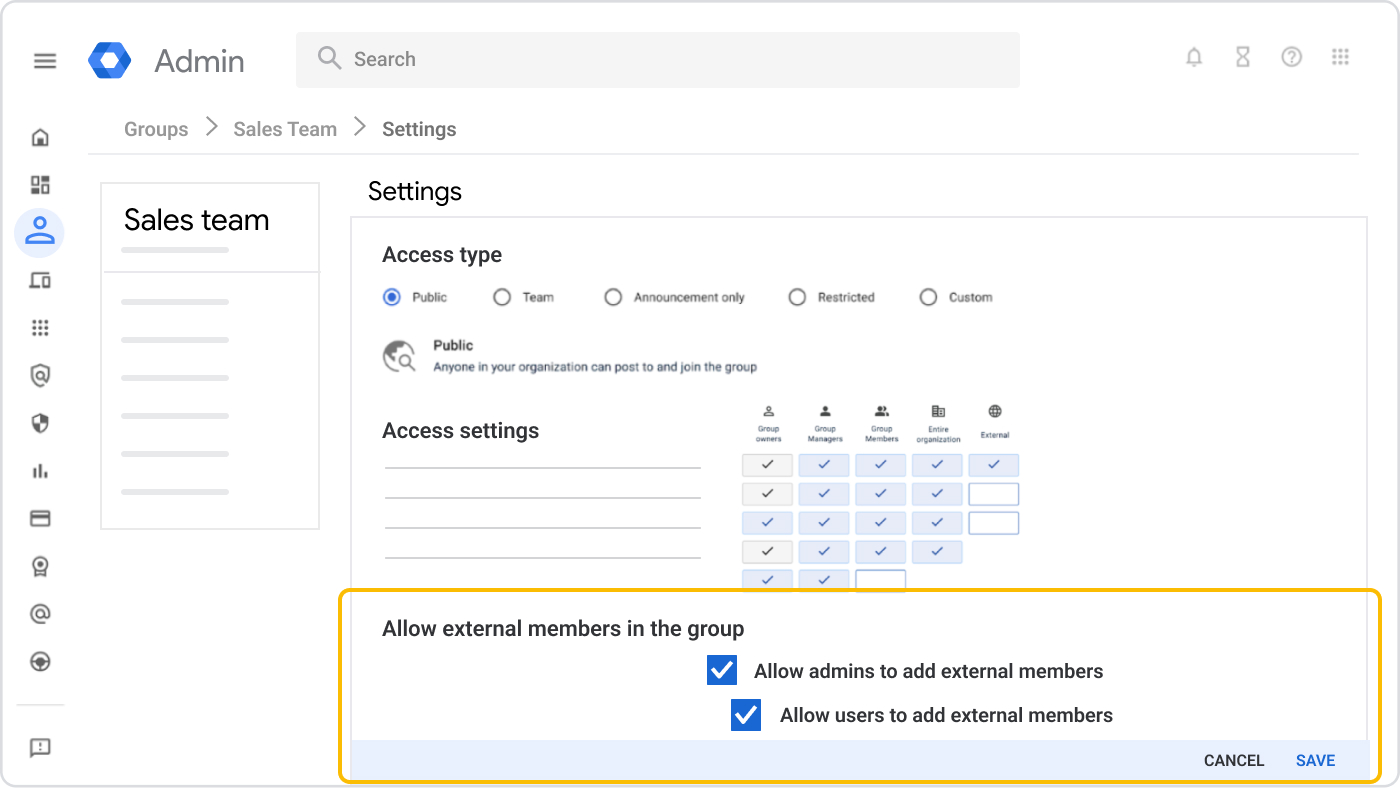
- Updated settings: The setting Allow members outside your organization will be renamed to Allow external members in the group. Additionally, there will be a new sub-setting that can be configured to allow only Google Groups admins to add external users.
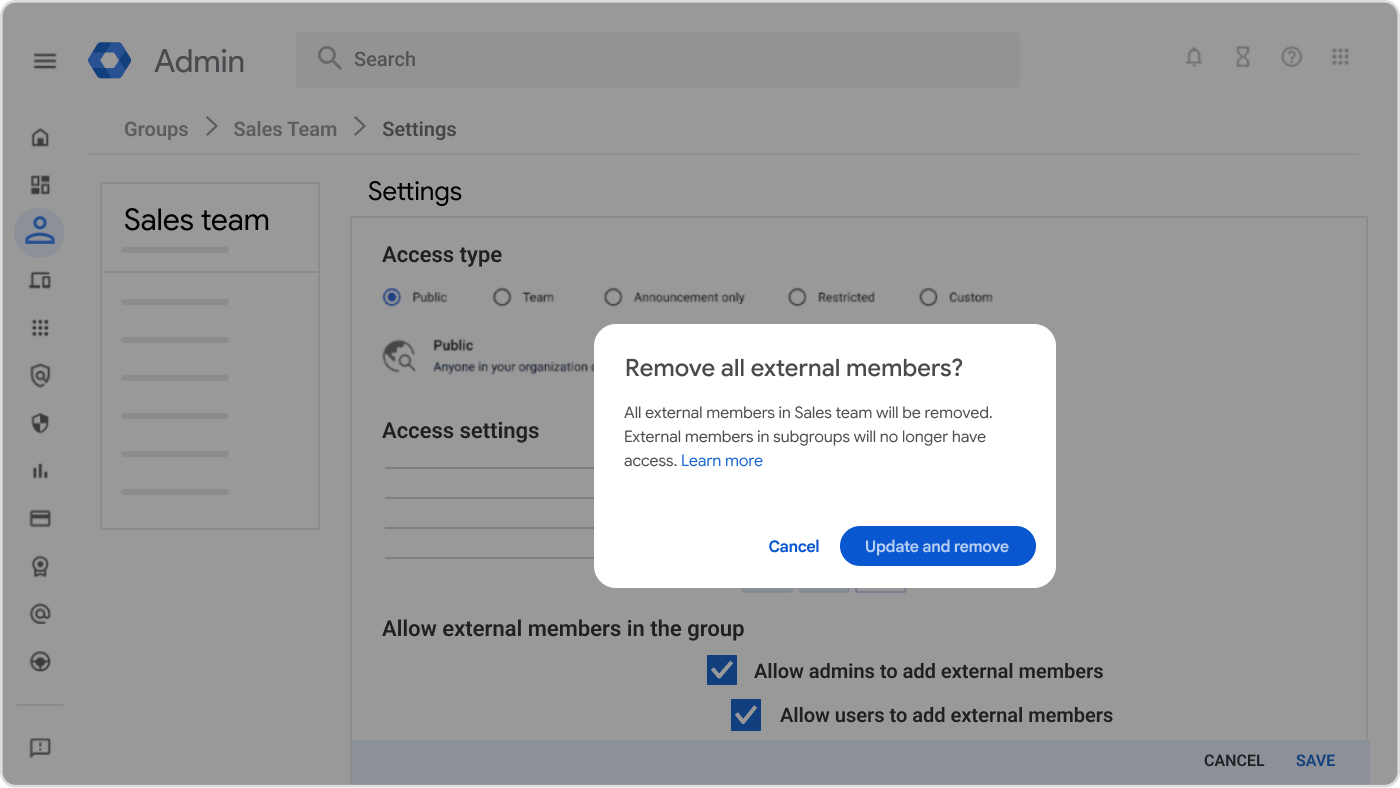
- Removal of external members when changing group classification to internal: Similar to Google Groups, if an admin changes a group classification from external to internal from the Admin console, external members will be permanently removed. The following warning messages will appear:
API updates
- Current API behavior: Currently, groups you create from the GroupsSettings API are set to allowExternalMembers=False by default. However, admins can override this setting and add external users and the API doesn't fail.
- Future API behavior: With the stricter enforcement of internal group members classified as internal, if you create a new group with external members, or add external members to an existing group through the API or a synced group, the group setting will be automatically updated to allowExternalMembers=True. This ensures consistency in the setting and group memberships.
Note: This will only be the case for admin API use cases. For example, if you use Cloud Identity or Admin SDK's Directory API to create groups with external members, the allowExternal setting will be automatically updated.
Non-user accounts
Internal and external group classifications will also apply to non-user accounts, for example, service accounts. Service accounts are classified as internal or external based on the customer ID in the Google Cloud console.
Classroom Teachers group
The Classroom Teachers group is an internal group by default. If your Classroom Teachers group contains external members, it will be classified as external to preserve the existing external memberships.
FAQ
What happens if I change an external group with external members to internal?
External members will be removed from the group, ensuring it contains only internal members. Any direct external members will be removed entirely. Indirect members (members of child groups) will remain in their respective child groups but will be filtered out from the parent group.
What happens if I change a group back to external after making it internal?
External indirect members will regain access to the group. You will need to manually re-add any direct members that were previously removed.
Can group admins add external users to internal groups?
No, group admins cannot directly add external users to internal groups. To add external users, you need to change the group classification to external.